Mermaid diagrams, stored where you choose.
Manatee is a browser-based Mermaid editor with live preview and an AI assistant. You pick where your diagrams live and you own the storage — nothing is kept on our servers.
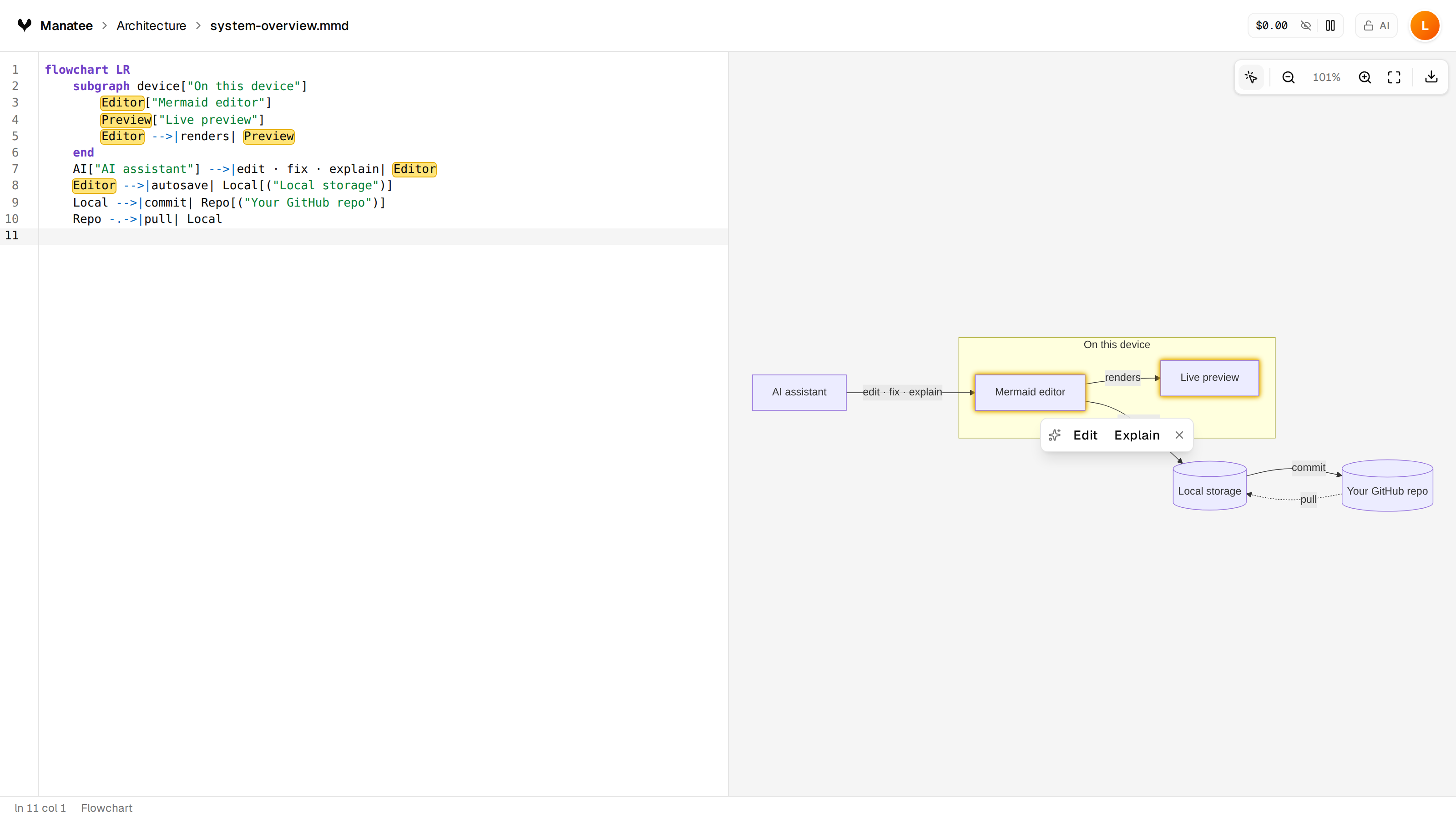
Two ways to work
Everything stays in your browser. No account, nothing to sign up for.
- Works offline
- Diagrams never leave this device
- Switch to GitHub sync anytime
Store your .mmd files in a private repo you own, versioned with every change.
- Sign in with GitHub
- Auto-commits as you work
- Open your diagrams anywhere
Everything you need to diagram
A CodeMirror editor with Mermaid highlighting and a preview that re-renders moments after you stop typing.
Generate, edit, fix, and explain diagrams — with a side-by-side diff before any change is applied.
Diagrams are stored as plain files under /diagrams in your repo. No lock-in, no metadata cruft.
Sign in with GitHub and every change auto-commits to a repository you own.
Export to SVG, PNG at 1×/2×/4×, raw .mmd, or a Markdown snippet.
Your provider key runs client-side and is never proxied through our servers.
Your data, your keys
Sign in with GitHub. Your access token lives only in an encrypted, HttpOnly session cookie.
Provider keys are encrypted on your device and never proxied through our servers.
Your data lives in your browser or a GitHub repo you own. Deleting it is deleting your repo.
Repository sync is proxied same-origin with server-side auth headers — no tokens in the browser.
Questions
Does it cost anything?
Manatee is free. You bring your own AI provider key, so you only pay your provider for AI features — and only if you use them.
Do I need a GitHub account?
No. Local-only mode keeps everything in your browser. GitHub is only needed if you want sync and version history.
Where are my diagrams stored?
As plain .mmd files in your browser, or in a private GitHub repository you own. Never on a Manatee server.
Do you use cookies or track me?
No tracking cookies. The only cookies are the ones that keep you signed in or remember local-only mode. Usage analytics are anonymous and cookieless, and off unless you opt in.